
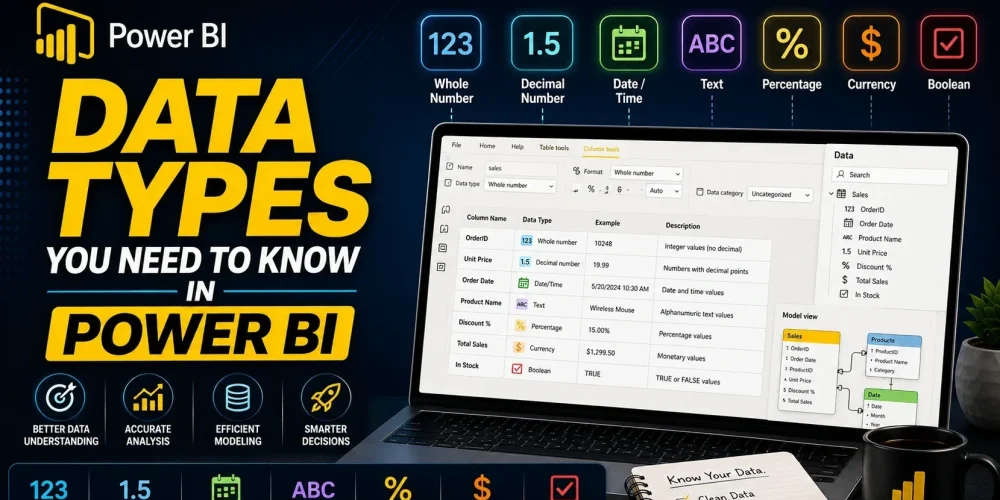
When working with Power BI, most users focus on visuals, dashboards, and DAX calculations. These are the visible parts of any report. But underneath all of that lies a layer that quietly controls how everything behaves. That layer is data types.
Data types define how Power BI interprets your data. They influence how calculations are performed, how efficiently data is stored, and how smoothly reports respond. When data types are aligned with the actual nature of the data, everything works as expected. When they are not, even simple calculations can break.
Understanding Data Types in Power BI
A data type tells Power BI what kind of values exist in a column. Based on that, the system decides what operations are allowed and how those values should be processed.
For example, numeric columns can be aggregated, date columns enable time-based analysis, and text columns are mainly used for grouping or labeling. These differences directly affect how your model behaves.
Power BI, developed by Microsoft, automatically assigns data types when data is loaded. This is useful, but not always accurate. That is why knowing how to check data type becomes important early in your workflow.
In practice, you can verify data types in two places:
- In Power Query, where each column shows its assigned type during transformation
- In the Data Model view, where types are displayed after loading
This quick validation step ensures your data behaves as expected before you start building calculations.
Core Data Types You Should Know
A few core data types appear in almost every Power BI model. Understanding how they behave helps you make better design decisions.
- Whole numbers are used for integer values such as counts or identifiers. They are efficient and fast to process, which makes them a good choice when decimal precision is not required.
- Decimal numbers allow fractional values and are commonly used for metrics like sales or ratios. They provide flexibility, but they rely on floating-point storage, which can sometimes introduce small rounding differences in large calculations.
- For financial analysis, fixed decimal numbers are more reliable. They are designed to handle currency values with consistent precision, making them suitable for revenue, cost, and profit calculations.
- Text data types are used for descriptive fields such as names, categories, or regions. They play an important role in grouping and filtering, but they cannot be used directly in mathematical operations. Keeping numeric values out of text columns is essential for maintaining a functional model.
- Date and time data types enable time-based analysis. Power BI distinguishes between date, time, and datetime formats. These are critical for building trends, comparisons, and time intelligence calculations.
- Boolean values represent logical conditions such as true or false. They are simple in structure but very useful for filtering and defining logical rules within your model.
- Binary data is less common in standard reporting. It is mainly used for storing images or encoded files and appears more often in advanced data scenarios.
And if you have question like can you help me create a roadmap to learn power bi? you can check out my 12 month Power BI learning roadmap here.
Data Types in Power Query and the Data Model
One important concept to understand is the role of data types in Power Query compared to the data model.
Power Query is where your data is prepared before it enters the model. Setting data types at this stage ensures that the dataset is clean and structured from the beginning. It also reduces the need for corrections later.
Once the data is loaded, the model uses these types to define relationships, calculations, and visual behavior. Although you can still modify data types in the model, doing it earlier in Power Query creates a more stable workflow. In most cases, the earlier you fix the data type, the fewer issues you will face later.
Data Type vs. Formatting
A common source of confusion is the difference between Data Type vs. Formatting. These two concepts may appear similar, but they serve completely different purposes.
Data type defines what the value actually is. Formatting only controls how that value is displayed.
For example:
- A number stored as text will not behave like a number, even if it looks numeric
- A decimal value formatted as currency is still a numeric type underneath
This distinction is important because formatting cannot fix a wrong data type. If the underlying type is incorrect, calculations will still fail regardless of how the data looks in the report.
Change Data Type Using DAX
In some cases, you may need to change data type using DAX, especially when working with calculated columns or measures.
DAX provides functions that allow you to convert values from one type to another. Common examples include converting text to numbers or extracting date values from text fields.
However, this approach should be used carefully. Changing data types using DAX happens after the data is loaded into the model. This means it does not improve the underlying data structure and may add extra processing overhead.
A better approach is to fix data types in Power Query whenever possible. DAX should be used as a secondary option when transformation at the source is not feasible.
Dig Deeper: Difference Between SUM and SUMX in Power BI
Impact on Performance and Model Efficiency
Data types play a significant role in how efficiently Power BI handles data. The platform uses columnar storage and compression techniques to optimize performance, and these techniques depend on the type of data stored in each column.
Numeric and boolean columns tend to compress efficiently, which reduces memory usage and improves query speed. Text columns, especially those with high variation, require more storage and can slow down performance.
Date columns, when properly defined, enable optimized time calculations and faster filtering. This becomes especially important in large datasets where performance differences are more noticeable.
When data types are aligned with the nature of the data, the model becomes faster, more stable, and easier to scale.
A Practical Perspective
Consider a dataset where a sales column is imported as text. At first, everything looks fine. The values are visible and the report loads without errors. But the moment you try to calculate totals or build measures, the limitations become clear.
After converting that column into a numeric type, the behavior changes immediately. Aggregations work correctly, calculations produce accurate results, and the report responds more efficiently. This simple adjustment shows how much influence data types have on the overall model.
Conclusion
Data types are often treated as a minor setup step, but they influence every layer of a Power BI report. They determine how data is stored, how calculations behave, and how efficiently the model performs.
A well-built report starts with correctly defined data types. Taking the time to review and align them early leads to more accurate insights and a smoother development process.
If you are already working with Power BI, it is worth revisiting your datasets with this perspective. Small improvements in data types can make a noticeable difference in both performance and reliability.