
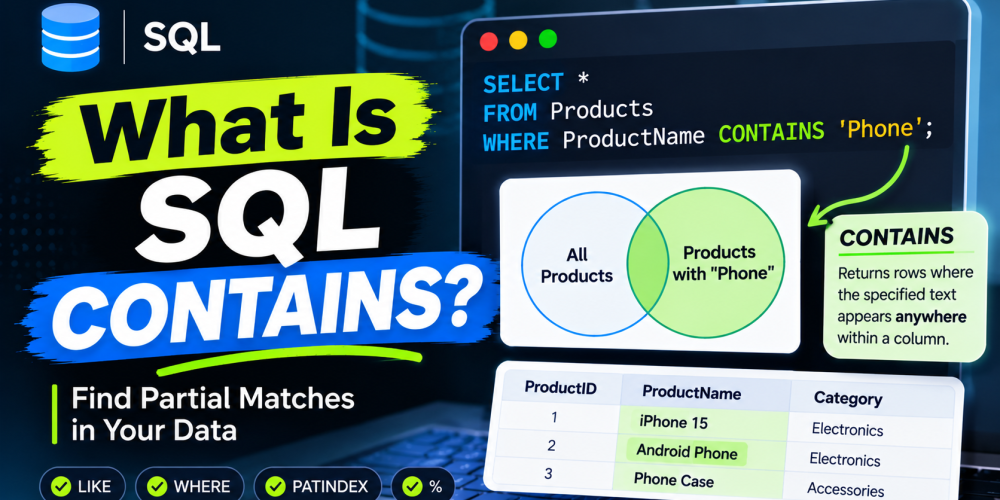
When working with a database, finding the right information is not always as simple as matching an exact value. Sometimes, you need to find records that contain a particular word, phrase, or character within a larger text field. For example, you might want to find customers whose names include “John” or products with “Wireless” in their descriptions.
SQL provides different ways to search for this kind of information. One commonly discussed approach is CONTAINS. It helps search for specific words or phrases within text data, particularly when working with full-text search capabilities.
What Is CONTAINS in SQL?
CONTAINS is a search predicate used in certain SQL database systems to find specific words, phrases, or combinations of words within text columns.
It is particularly useful when a database contains large amounts of textual information, such as product descriptions, customer feedback, articles, or documents. Instead of checking whether a column matches an entire string, CONTAINS searches for specified terms within the indexed text.
For example, imagine you have a Products table with hundreds of product descriptions. You want to find all products whose descriptions contain the word “laptop”.
A full-text search using CONTAINS can help retrieve those records without requiring an exact match against the entire description.
An important distinction: SQL CONTAINS is not supported in exactly the same way across all database systems. In Microsoft SQL Server, it is a predicate used with full-text indexes. Other database platforms may use different functions or operators to achieve similar results.
SQL CONTAINS Syntax
In Microsoft SQL Server, the basic syntax of CONTAINS looks like this:
CONTAINS (column_name, ‘search_condition’)
You can also use it inside a WHERE clause to filter records:
SELECT column_name
FROM table_name
WHERE CONTAINS (column_name, ‘search_term’);
Let’s understand the main components:
- column_name: The text column you want to search.
- search_condition: The word, phrase, or search expression you want to find.
- table_name: The database table containing the information.
The search condition can include a single word, an exact phrase, or more advanced expressions using operators such as AND, OR, and NEAR.
How to Use CONTAINS in SQL: Practical Examples
Understanding the syntax is easier when you see how it works with actual database records. Let’s use a simple Products table for the examples below.
Assume the table contains these records:
| ProductID | ProductName | Description |
| 1 | Laptop Pro | High-performance laptop for business |
| 2 | Wireless Mouse | Wireless mouse with ergonomic design |
| 3 | Gaming Keyboard | Mechanical keyboard for gaming |
| 4 | Office Laptop | Lightweight laptop for office work |
| 5 | Bluetooth Speaker | Portable wireless audio device |
Here are some practical ways to use CONTAINS.
1. Search for a Specific Word
Suppose you want to find products whose descriptions contain the word “laptop”.
SELECT ProductName, Description
FROM Products
WHERE CONTAINS (Description, ‘laptop’);
What happens here?
SQL Server searches the full-text indexed Description column for the specified word. It returns records where the description contains “laptop”.
In this example, the query can return:
- Laptop Pro
- Office Laptop
This is useful when you need to search product descriptions, customer comments, or other text-based information without matching the entire column value.
2. Search for an Exact Phrase
Sometimes, searching for individual words is not enough. You may want to find a specific phrase instead.
For example, you want to find descriptions containing the phrase “wireless mouse”.
SELECT ProductName, Description
FROM Products
WHERE CONTAINS (Description, ‘”wireless mouse”‘);
Here, the double quotation marks inside the search condition indicate that SQL Server should look for the exact phrase.
This helps narrow down search results when the order and combination of words matter.
3. Search Using AND Operator
What if you want to find records containing two specific words?
For example, you want product descriptions that contain both “laptop” and “business”.
SELECT ProductName, Description
FROM Products
WHERE CONTAINS (Description, ‘laptop AND business’);
The AND operator tells SQL Server to return records containing both search terms.
This is helpful when you want more specific results rather than retrieving every record containing just one of the words.
4. Search Using OR Operator
You can also search for records containing at least one of multiple words.
Suppose you want to find descriptions containing either “wireless” or “Bluetooth”.
SELECT ProductName, Description
FROM Products
WHERE CONTAINS (Description, ‘wireless OR Bluetooth’);
The query returns records that contain either of the specified terms. Records containing both terms can also match.
This approach is useful when searching for related terms or different ways customers might describe the same product.
5. Search for Words Near Each Other
SQL Server also supports proximity searches through the NEAR operator.
For example:
SELECT ProductName, Description
FROM Products
WHERE CONTAINS (Description, ‘NEAR((wireless, device), 5)’);
This searches for records where “wireless” and “device” appear within five words of each other.
Proximity searches are particularly useful when working with longer documents, product descriptions, and customer feedback.
SQL CONTAINS vs LIKE: What Is the Difference?
CONTAINS and LIKE are both used to search text data, but they work differently.
The main difference is that LIKE checks whether a string matches a specified pattern, while SQL Server’s CONTAINS uses full-text search to identify words and phrases within indexed text.
Consider the following examples.
Using LIKE:
SELECT *
FROM Products
WHERE Description LIKE ‘%laptop%’;
Using CONTAINS:
SELECT *
FROM Products
WHERE CONTAINS (Description, ‘laptop’);
Both queries can find descriptions containing the word “laptop”, but their search mechanisms are different.
| Feature | CONTAINS | LIKE |
| Search method | Full-text search | Pattern matching |
| Full-text index | Required in SQL Server | Not required |
| Word and phrase search | Supported | Supported through patterns |
| Wildcard matching | Uses full-text search syntax | Uses % and _ |
| Advanced search | Supports Boolean and proximity operators | Supports basic pattern matching |
| Best suited for | Searching larger text content | Simple text pattern matching |
Which one should you use?
Use LIKE when you need straightforward pattern matching, such as finding names that start with a particular letter or product codes containing specific characters.
Use CONTAINS when you need full-text search capabilities, especially for larger text columns and more advanced search conditions.
Important Things to Know Before Using CONTAINS
Although CONTAINS can make text searches more powerful, there are a few things to consider before using it.
1. Full-text indexing is required in SQL Server
You cannot simply use CONTAINS on any text column without the necessary full-text search setup. SQL Server requires a full-text index on the column being searched.
2. Search terms follow specific rules
The search condition has its own syntax. For example, phrases need double quotation marks inside the SQL string, while Boolean operators such as AND and OR help combine search terms.
3. Results depend on language and word processing
SQL Server’s full-text search uses language-specific word breakers and related processing. This can affect how words, phrases, and variations are matched.
4. CONTAINS is database-specific
The syntax discussed in this article applies to Microsoft SQL Server. If you work with MySQL, PostgreSQL, or other database systems, you may need to use their respective full-text search features.
Take Your SQL Skills Further
Learning how to search and retrieve information is an important part of working with SQL. While LIKE handles basic pattern matching, CONTAINS offers more advanced full-text search capabilities in Microsoft SQL Server.
The key is knowing when to use each method. If you’re working with large amounts of textual data and need to find specific words, phrases, or combinations of terms, understanding CONTAINS can make your queries more effective.
As you continue learning SQL, practise these search conditions with real datasets. Working through different examples will help you understand how database search works and when each technique makes sense.
FAQ
1. What does CONTAINS do in SQL?
CONTAINS searches for specific words, phrases, or combinations of terms within text columns. In SQL Server, it works with full-text indexes to retrieve matching records.
2. Is CONTAINS the same as LIKE in SQL?
No. CONTAINS uses full-text search, while LIKE performs pattern matching. LIKE is useful for simple string searches, whereas CONTAINS supports more advanced text-search conditions.
3. Does SQL CONTAINS require a full-text index?
Yes. In Microsoft SQL Server, the column being searched must have an appropriate full-text index. Without it, the CONTAINS predicate cannot be used successfully.
4. Can I use CONTAINS with multiple words?
Yes. You can combine multiple search terms using operators such as AND, OR, and NEAR. You can also search for exact phrases using quotation marks.
5. Does MySQL support CONTAINS in SQL?
MySQL does not use SQL Server’s CONTAINS predicate. Instead, it provides full-text search through MATCH() and AGAINST().
6. Which is faster, CONTAINS or LIKE?
There is no universal answer. SQL Server’s full-text search can be more efficient for searching large text columns, especially when appropriate full-text indexes are available. However, performance depends on the data, indexing, query conditions, and database workload.